


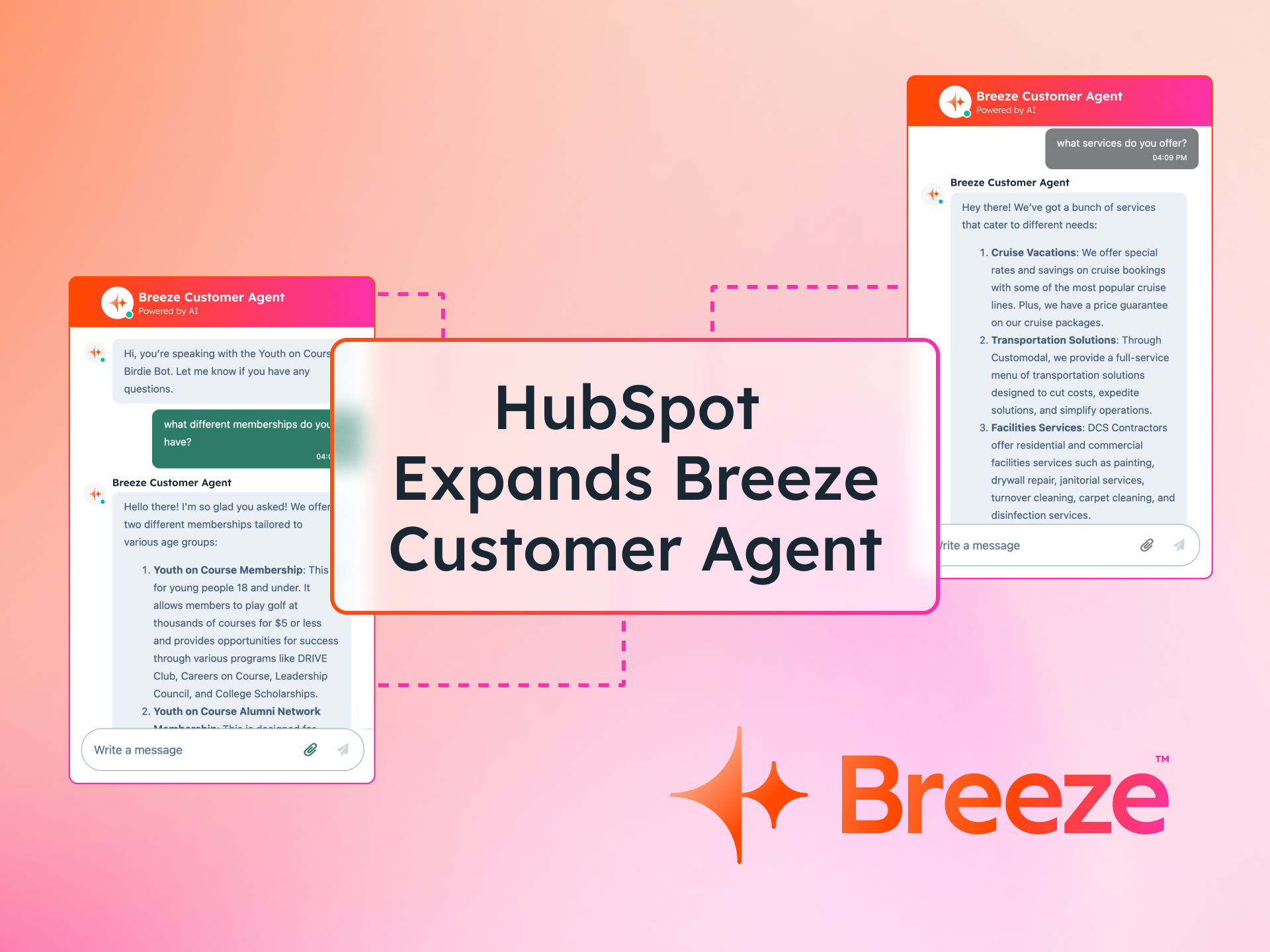
We get a lot of questions about HubSpot's Customer Agent. As more companies explore AI-powered support tools and look to get more value from their HubSpot portals, it is one of the features that comes up frequently in conversations with clients.
The short answer: Customer Agent is well-suited to support environments where requests follow predictable patterns and the underlying CRM data is clean and well structured. It can automate a meaningful portion of repetitive interactions, take actions inside the platform using customer data, and continuously improve its own knowledge base. Where it falls short is in environments with inconsistent data, unclear processes, or complex, high-judgement support scenarios.
HubSpot has recently made two significant changes to Customer Agent worth knowing about. As of April 2026, pricing moved to an outcome-based model — you now pay $0.50 per resolved conversation, down from $1.00 per conversation regardless of outcome.
And in its Q1 2026 earnings call, HubSpot reported that Customer Agent has reached a 70% resolution rate across more than 9,000 customers, up from 65% earlier in 2025. The product now accounts for 53% of all AI credits consumed across the HubSpot platform, with total AI credit consumption growing 67% quarter over quarter.
Below is an honest breakdown of where else it performs well, and where organisations should proceed with caution.
Where it shines
1. Pricing: HubSpot now charges only for outcomes
If you looked at HubSpot's AI agent pricing in 2025, it may have seemed expensive relative to other chatbot platforms. That model has since changed materially.
From April 2026, Customer Agent moved to outcome-based pricing. You are only charged when the agent successfully resolves a conversation. Conversations that escalate to a human agent are not billed. The current rate is $0.50 per resolved conversation (50 credits at $10 per 1,000).
This is a meaningful shift from the previous model, which charged $1.00 per conversation regardless of whether the issue was resolved.
For comparison, the leading alternatives currently sit at:
-
Intercom Fin AI — $0.99 per resolved conversation
-
Zendesk AI agents — $1.50 per resolution on a committed contract ($2.00 pay-as-you-go), plus a mandatory $50/agent/month AI add-on on top of your existing plan
-
Ada AI — $1–$2 per automated resolution in enterprise deployments
At $0.50 per resolution, HubSpot is now more price-competitive than it has been — and unlike Zendesk, there is no separate AI add-on cost layered on top.
For organisations already using HubSpot, most Pro and Enterprise licences include a monthly credit allocation (3,000 and 5,000 credits respectively), which covers a starting volume of resolutions before additional credits are needed. This makes it practical to test the functionality without immediately increasing software spend.
HubSpot's Q1 2026 earnings call reported a 70% resolution rate for Customer Agent across more than 9,000 customers — a useful baseline when forecasting credit consumption at your expected conversation volume.
Where the real differentiation still sits, though, is not pricing alone. It is what the agent can actually do inside the platform.
2. Taking actions inside the CRM
HubSpot’s Customer Agent sits directly inside the CRM, which allows it to perform actions using customer data and workflows. Rather than simply answering questions, the agent can retrieve and update information stored in HubSpot and trigger operational processes.
Depending on your industry and the types of support requests you receive, this can automate a large portion of administrative interactions. These actions are triggered by API’s and can include
- Retrieving booking or order details
- Updating customer information - such as passwords
- Taking payments
- Surfacing account or contact records
- Resetting credentials
- Triggering internal workflows
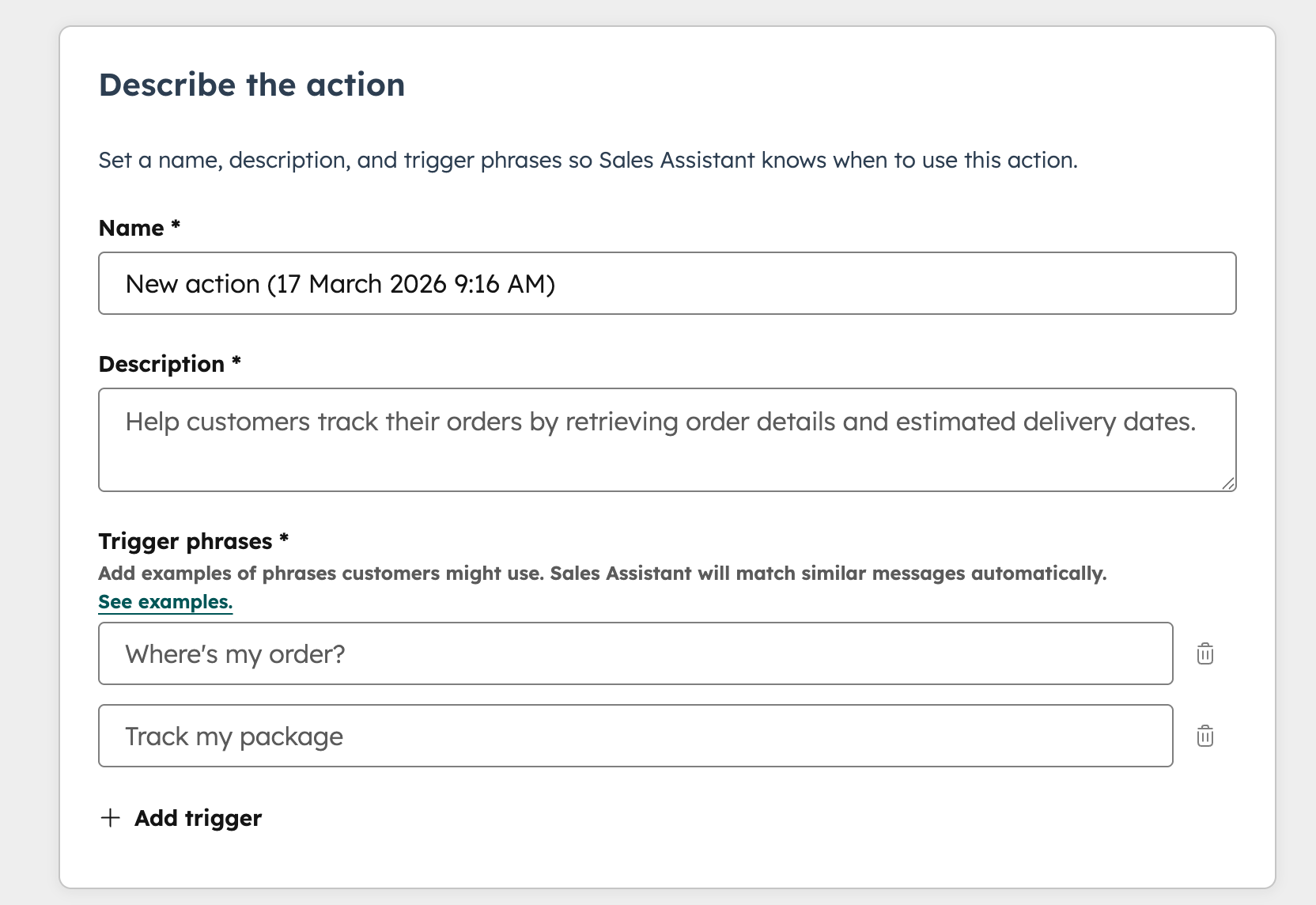
This is where the agent starts to behave less like a chatbot and more like an automated service layer connecting your CRM with other operational tools. When implemented correctly, API actions can resolve requests that previously required human intervention.
For organisations dealing with high volumes of repetitive requests, these actions can remove a significant amount of manual work from support teams.
3. Continuous knowledge base improvement
Another useful feature is the knowledge base agent within the Customer Agent (russian doll style) - it picks up on conversations where there wasn’t an answer, combs through CRM records and creates a draft response to fill the gap. This creates a feedback loop where the support system continuously identifies missing documentation.
For teams responsible for maintaining help centres or documentation libraries, this can be extremely valuable. Instead of guessing what content is missing, the system surfaces the questions that customers are actually asking.
4. Ticket deflection and support efficiency
One of the biggest benefits of AI support agents is their ability to reduce support workload through ticket deflection. Organisations implementing AI support tools often report 30–60% of support requests being resolved automatically, particularly when enquiries fall into repeatable categories.
However, the level of return depends heavily on your environment.
The strongest results typically occur when:
- The knowledge base is mature and well structured
- Documentation is accurate and up to date
- Requests fall into predictable patterns
- Processes already exist that can be automated
A useful exercise before implementing an AI support agent is to categorise your current support enquiries. Look at the types of questions customers ask most frequently and determine whether they fall into repeatable categories that documentation or automated actions could resolve.
If a large percentage of your requests follow predictable patterns, AI agents can deliver meaningful efficiency gains.
Where it struggles
1. The hidden limitation: data quality
The same capability that makes Customer Agent powerful — its direct access to CRM data — also introduces one of its biggest risks.
The quality of the responses depends entirely on the quality of the underlying data. If your CRM contains duplicate contacts, inconsistent property values, outdated records, or poorly maintained knowledge base articles, the AI agent will simply surface those same issues to customers.
In practice, organisations with messy CRM environments often struggle to get reliable automation results. Instead of improving efficiency, the agent may retrieve incorrect records or provide incomplete responses.
Before implementing AI automation, it is worth evaluating whether your CRM data structure and knowledge base documentation are clean, structured, and reliable enough to support automation.
2. Automation still requires configuration
While the agent supports natural language configuration, meaningful automation still depends on clearly defined processes, workflows, and structured data. The AI cannot repair broken processes; it can only automate the ones that already exist.
3. Costs scale with resolution volume
Although the per-resolution rate is competitive, high-volume environments will consume credits quickly. At $0.50 per resolved conversation, a team handling 2,000 conversations per month at a 65% resolution rate is looking at roughly 1,300 billed resolutions, or approximately $650/month in credits — before accounting for your included plan allocation.
The shift to outcome-based pricing removes one of the previous model's frustrations (paying for conversations the AI couldn't resolve), but it does not eliminate the need for credit monitoring. Forecasting expected resolution volume before enabling Customer Agent at scale is time well spent.
4. Not every interaction should be automated
AI agents work best when interactions follow clear patterns. More complex support scenarios that require judgement, empathy, or investigation are still better handled by human agents. For organisations that haven’t used AI chatbots before, having a phased approach and testing on individual channels can be more palatable to customers than trying to automate everything, all at once.
Final thoughts
HubSpot's Customer Agent has become genuinely price-competitive since moving to outcome-based pricing in April 2026. At $0.50 per resolved conversation, and nothing charged for unresolved ones , it now sits below Intercom Fin ($0.99) and Zendesk ($1.50–$2.00) on a like-for-like basis.
Where it continues to stand out, though, is its ability to operate directly within the CRM and perform actions using customer data, workflows, and integrations. For organisations already running their operations inside HubSpot, this creates opportunities for deeper automation than most standalone chatbot tools can provide.
At the same time, the success of these systems depends heavily on the quality of the underlying CRM data, the structure of the knowledge base, and the clarity of the processes being automated. When those foundations are in place, the Customer Agent can remove significant manual workload from support teams and streamline common service interactions.
Thinking about implementing Customer Agent in your HubSpot portal?
Getting the most out of Customer Agent depends on having the right foundations in place — clean CRM data, a well-maintained knowledge base, and clearly mapped support processes. If you're not sure whether your HubSpot environment is ready, or you want to explore what automation could realistically look like for your team, we're happy to talk it through.
Frequently asked questions
How much does HubSpot's Customer Agent cost?
From April 2026, Customer Agent is priced at $0.50 per resolved conversation under HubSpot's outcome-based pricing model. You are only charged when the agent successfully resolves a customer inquiry — escalations to human agents are not billed. Credits are purchased at $10 per 1,000, and most Pro and Enterprise HubSpot licences include a monthly credit allocation.
What can HubSpot's Customer Agent actually do?
Beyond answering questions, Customer Agent can take actions inside the CRM via API connections — retrieving order or booking details, updating contact records, resetting credentials, processing payments, and triggering internal workflows. This is what distinguishes it from a standard chatbot: it functions as an automated service layer between your customer, your CRM, and your connected systems.
What do you need in place before implementing Customer Agent?
The agent's performance depends directly on the quality of your underlying CRM data and knowledge base. Before enabling it, it is worth auditing whether your HubSpot contact records are clean and consistently structured, your knowledge base articles are accurate and up to date, and your most common support enquiries fall into repeatable, documentable categories. If those foundations are not in place, the agent will surface the same data quality issues it finds in your CRM.
Is HubSpot Customer Agent better than Intercom Fin or Zendesk AI?
It depends on your environment. If you are already operating inside HubSpot, the native CRM integration gives Customer Agent an advantage that standalone tools cannot easily replicate — it can act on your data, not just respond to questions. On pricing, Customer Agent ($0.50/resolution) is now more cost-effective than Intercom Fin ($0.99/resolution) and Zendesk ($1.50–$2.00/resolution). The right choice depends on where your operations already live.