


Engaging has been working with sports teams and event clients for several years now. Most of them had their own data team and unique use cases and ways of handling the data which made it difficult for us to rinse and repeat for new clients.
Quite often there were also expensive 3rd party offerings for data processing & access which can make these projects a non starter due to overall cost.
Until now!
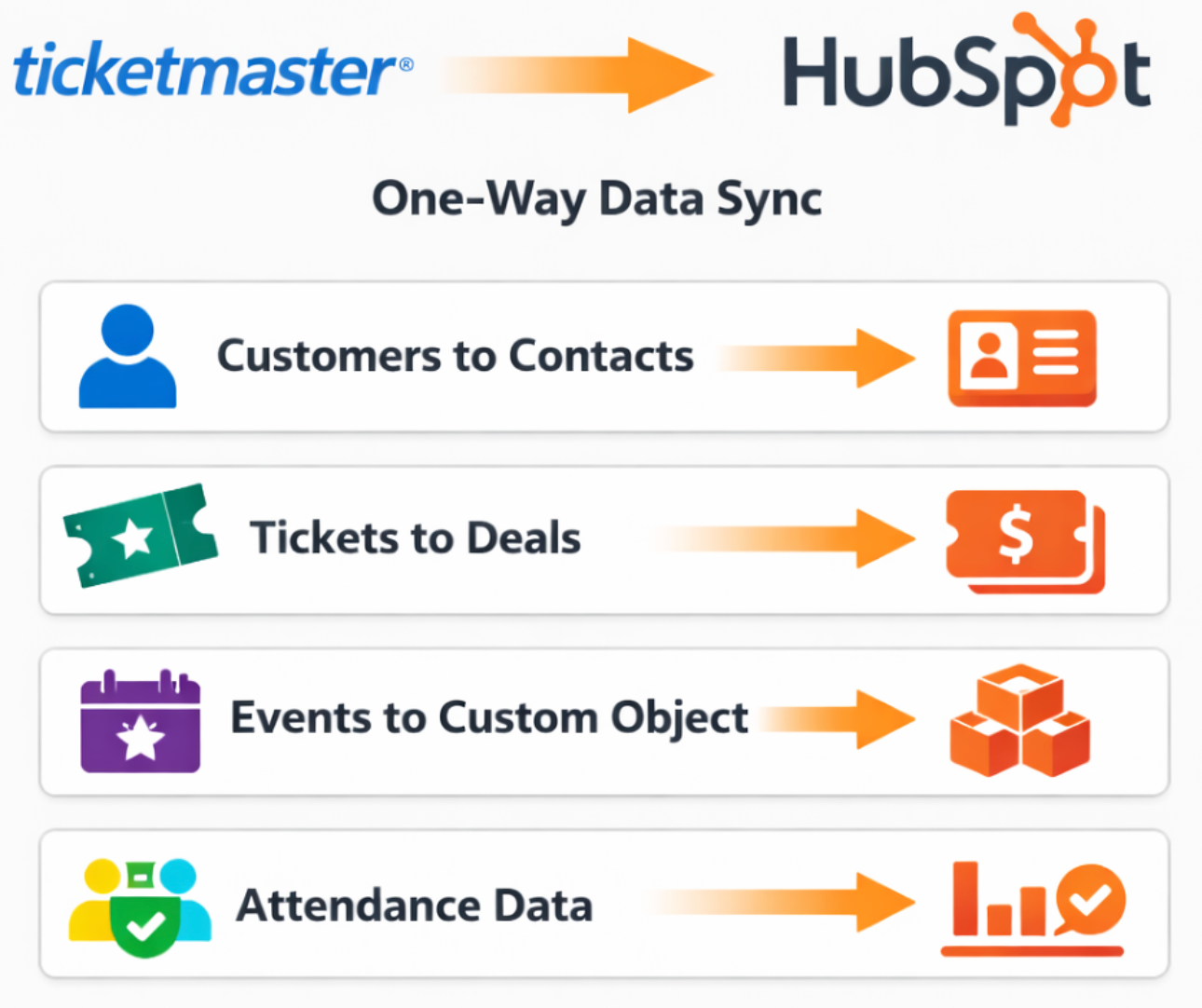
Engaging is now a Ticketmaster Nexus partner and has standardised how the data is processed and ingested into HubSpot to make it as easy as possible to build out segments, automations and drive reporting outcomes!
How our Ticketmaster HubSpot sync works
Ticketmaster provides us with daily incremental file drops from Archtics which we then process and then sync to HubSpot using JinnSync. (more frequent syncs are available but require API access from Ticketmaster)
On the HubSpot side we create several objects & timeline records and keep the data as close to the contact record as possible to make segmentation and automation easy for marketing teams.
HubSpot object structure:
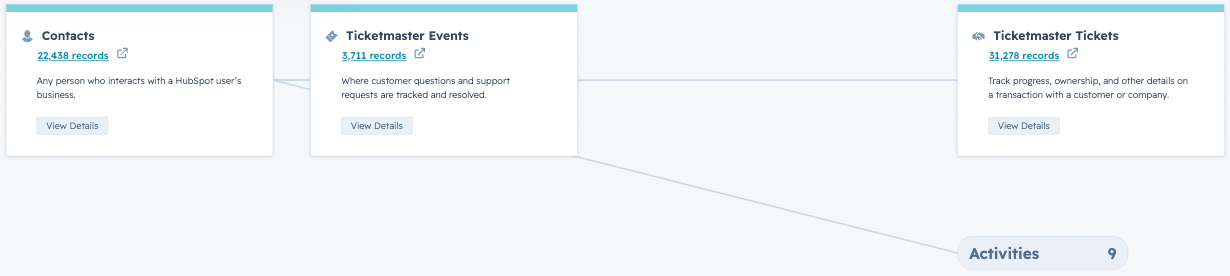
- HubSpot Contacts - this contains all the Ticketmaster customer details, name, email, subscription preferences, tags, address, phone/mobile just to name a few. There are approximately 70 data points we can map from Ticketmaster to the HubSpot contact.
- Ticketmaster Account ID & Customer ID are used as unique properties to UPSERT on. Optional: As email address can cause conflicts we recommend using a workflow to define which contact receives the marketing email address.
- HubSpot Deals or Order - we use this object to store tickets purchased by the customer. Ticket properties we map over include: Event code/name, date, section, row, number, status, price, category plus an additional 60+ other data points that can be mapped to the object. The tickets are directly associated to the contact record by customer ID and can be used for advanced segmentation & triggers.
- Ticketmaster Events (Custom Object) - This optional object allows us to bring in event information such as event name, date, time, meaningful name status. This object is then associated to both the contact & the deal record and can be used to insert tokenised details about the event directly in email & SMS comms.
- Attendance data (Custom Event) - Attendance data can be logged as a custom event on the contacts timeline. Data points include: ticket type, action time, gate, seating information.
- There are many other tables that can be mapped over from Ticketmaster as well such as member tables & subscription / plans. These can be mapped on request.
How to use Ticketmaster data with HubSpot
Once the data above has been loaded into HubSpot building out segments and triggering campaigns and automations becomes very quick and easy to execute on. No longer will you need to manually pull lists and try to figure out how you will target your audience as the data will be in HubSpot ready to go!
Some campaigns that have worked well for other clients:
- Building rich contact profiles on HubSpot to allow for more targeted segmentations. Move away from batch & blast and deliver more meaningful content. Easily categorise and tag contacts interests (eg. sports, arts, event types).
- Fully automated know before you go campaigns - get important information to customers when they need it eg. 1 day before the event
- Send NPS / CSAT surveys directly / shortly after the person has attended an event
- Automatically building out segments and pushing them to advertising platforms for retargeting. eg. Targeting VIP or high spenders / frequent ticket buyers.
- Sync subscription opt ins / outs from Ticketmaster (including SMS)
- Optimising marketing spend and defining a customer lifecycles. Eg. spent X amount on advertising drove X amount of customers.
- Dynamically tokenising data points in emails & SMS. Eg. add event name and seating info to emails
- Driving dynamic / smart content on website & emails
- HubSpot Data Hub has a lot of built in functionality to easily push data out to other systems and platforms. Easily webhook data out to other platforms or APPs.
- Reporting & data sets! Drill down into what drove results and easily share dashboards & results with executive team.
- Support service teams to quickly help answer questions. When a support request comes in all the Ticketmaster data will be at their finger tips.
- Drive AI / service agents & bots
Are just a few ways we have seen clients get the most out of their data.
Need help integrating HubSpot & Ticketmaster?