


HubSpot started off dabbling in the quote-to-cash space with Commerce Hub which allowed you to easily collect payments directly from HubSpot. This was quite a simple flow and had limited practical applications for more complex customers.
If you've used HubSpot's Commerce Hub before, you'll know it handled a fairly simple flow: collecting payments directly from HubSpot, with limited options for more complex needs.
But HubSpot have been busy! They have now expanded significantly on this functionality and renamed it "Revenue Hub". It brings together multiple elements and allows you to progress a deal all the way through to invoicing.
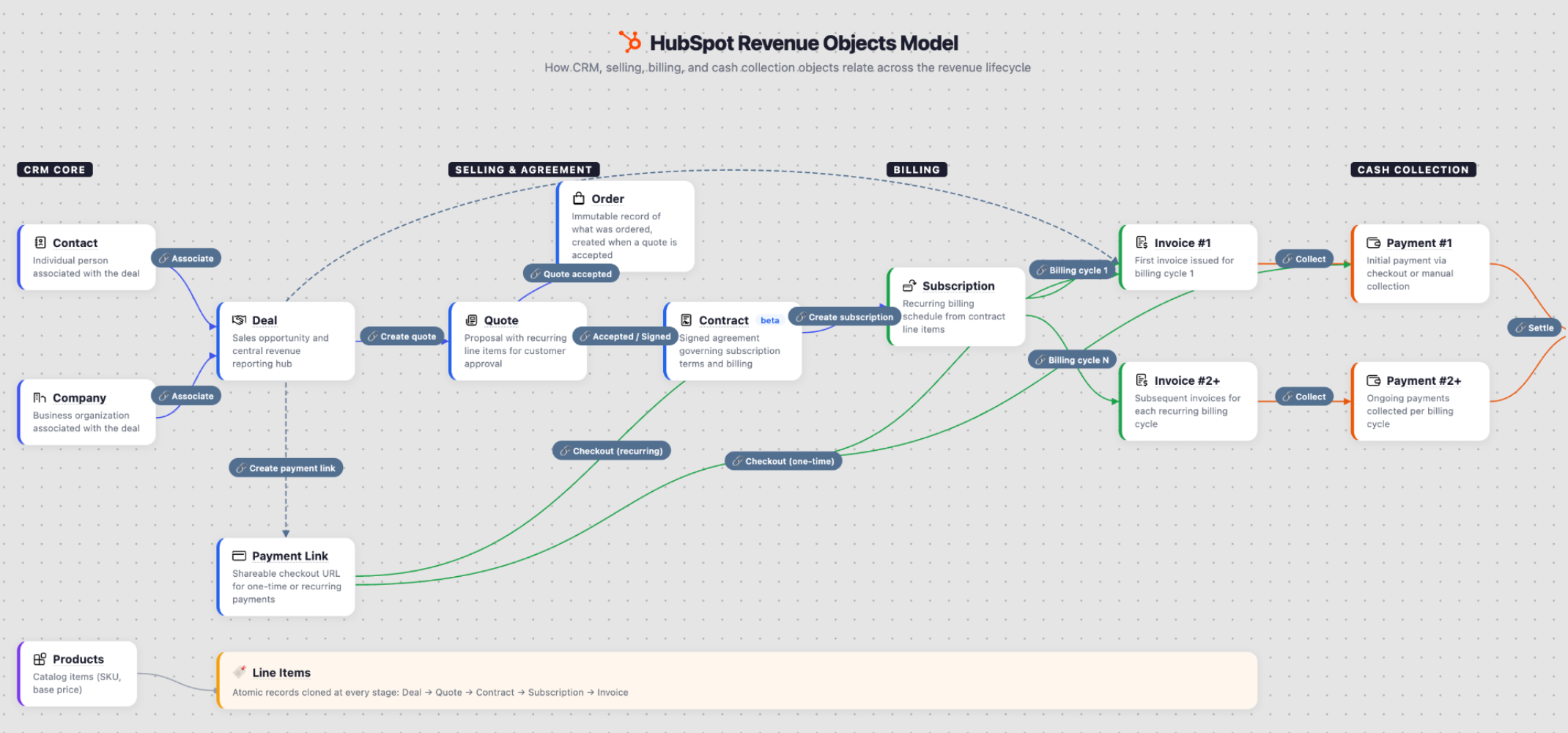
The Revenue Hub object model has been significantly expanded on to help pull everything together:
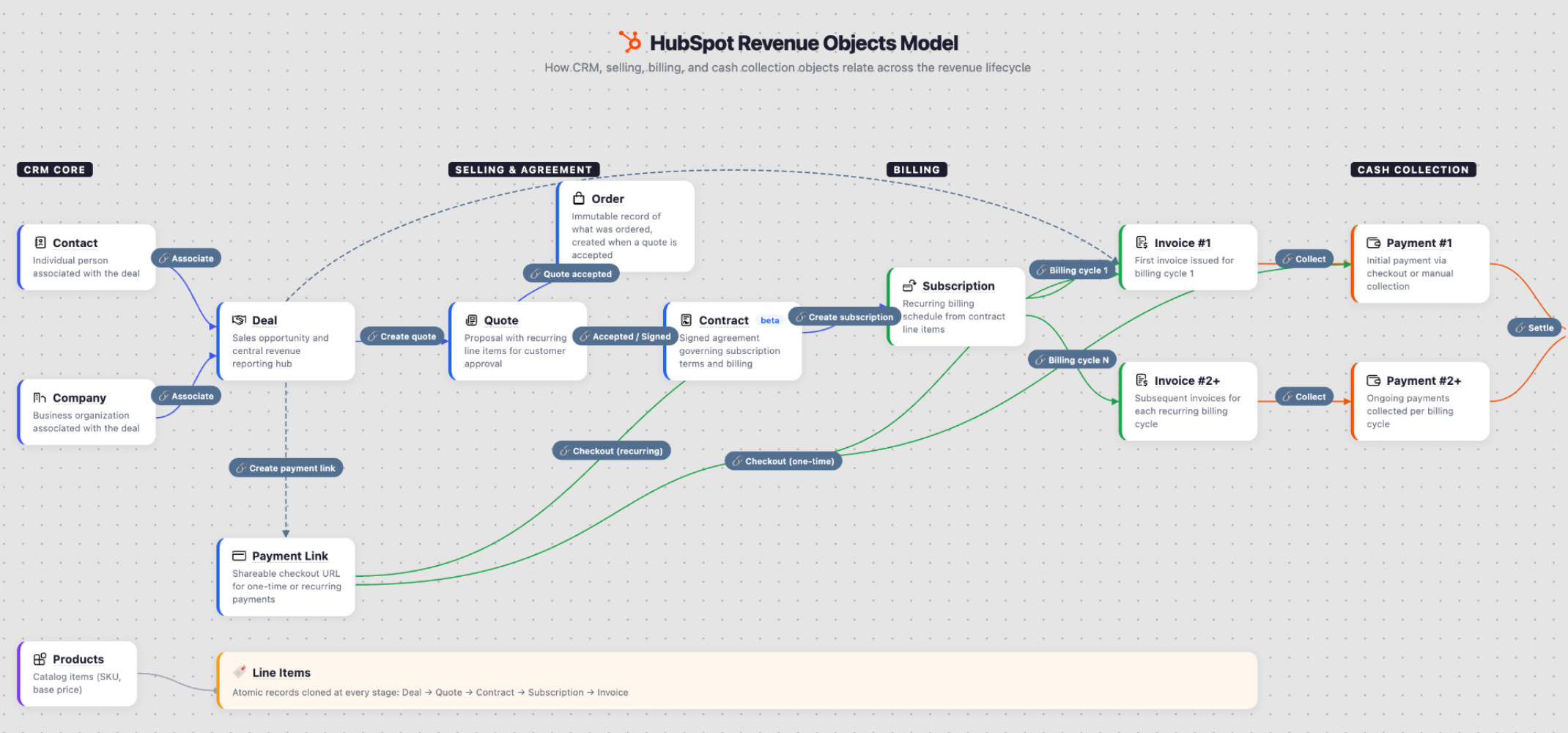
Allowing you to easily build out purchasing flows from Lead -> Deal -> Quote -> Contract -> Invoice & Payments / Schedules.
Managing a deal from quote to cash usually meant leaning on a third-party platform like Chargebee or DealHub, then integrating that back into HubSpot. That worked, but it added another system to maintain, another integration to keep running, and another place for data to fall out of sync with your CRM.
Contract changes, renewals and pro rata billing were especially hard to manage without a dedicated CPQ tool, which left a lot of that work sitting outside HubSpot entirely. But now you can manage it out-of-the-box from HubSpot.
What does this look like in practice?
So what does that actually change day to day? The biggest shift is that HubSpot is moving beyond simple payment collection and giving teams more control over the revenue operations that happen after a deal is created. The main updates sit across contracts, subscription payments and invoices, quoting tools and revenue reporting.
1. The HubSpot Contract Object
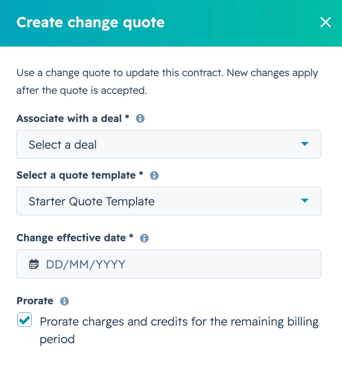
The contract object is the new heart of Revenue Hub! Allowing you to easily manage renewals, contract changes (upgrade, downgrade, pro rata calculations, billing schedules)
Previously this was quite difficult to manage without some kind of 3rd party CPQ tool or process. But now this is all a few clicks a way for a sales rep to easily self manage.
2. Subscriptions, Payments & Invoices
All these new objects revolve around the contracts object and help automate your billing schedule and collection of money when it needs to be chased up.
Invoices can easily be synced with other platforms like Xero/Quickbooks with existing connectors or build your own custom integration via HubSpots APIs!
3. New Quoting Templates / Layouts
The quoting tool itself has had a significant upgrade. You can now build fully custom modules that pull from multiple associated HubSpot objects, using the same modular, drag-and-drop interface as CMS Hub. For teams that want more control again, HubSpot extensions let you build your own custom interfaces on the deal object, so reps only see the fields relevant to that quote, and any required information can be enforced before line items are added.
These modules can contain all kinds of logic and pull data from multiple associated objects. If you are familiar with content / CMS Hub it uses the same kind of modular interface where you can simply drag and drop and edit content via a WYSIWYG editor.
What about HubSpot extensions?
While this is not exactly new it does allow you to build out your own custom interfaces to help collect the data needed for a quote. You can build you own custom CPQ processes on the deal object to further improve workflows for sales teams. This allows you to strip the interface back to exactly what they need before any line items are added to a deal / quote.
A simple example of this would be if you wanted to filter your product library by a certain type of product or force the sales rep to enter certain information that needs to be defined on the quote to drive logic there.
4. Revenue reporting
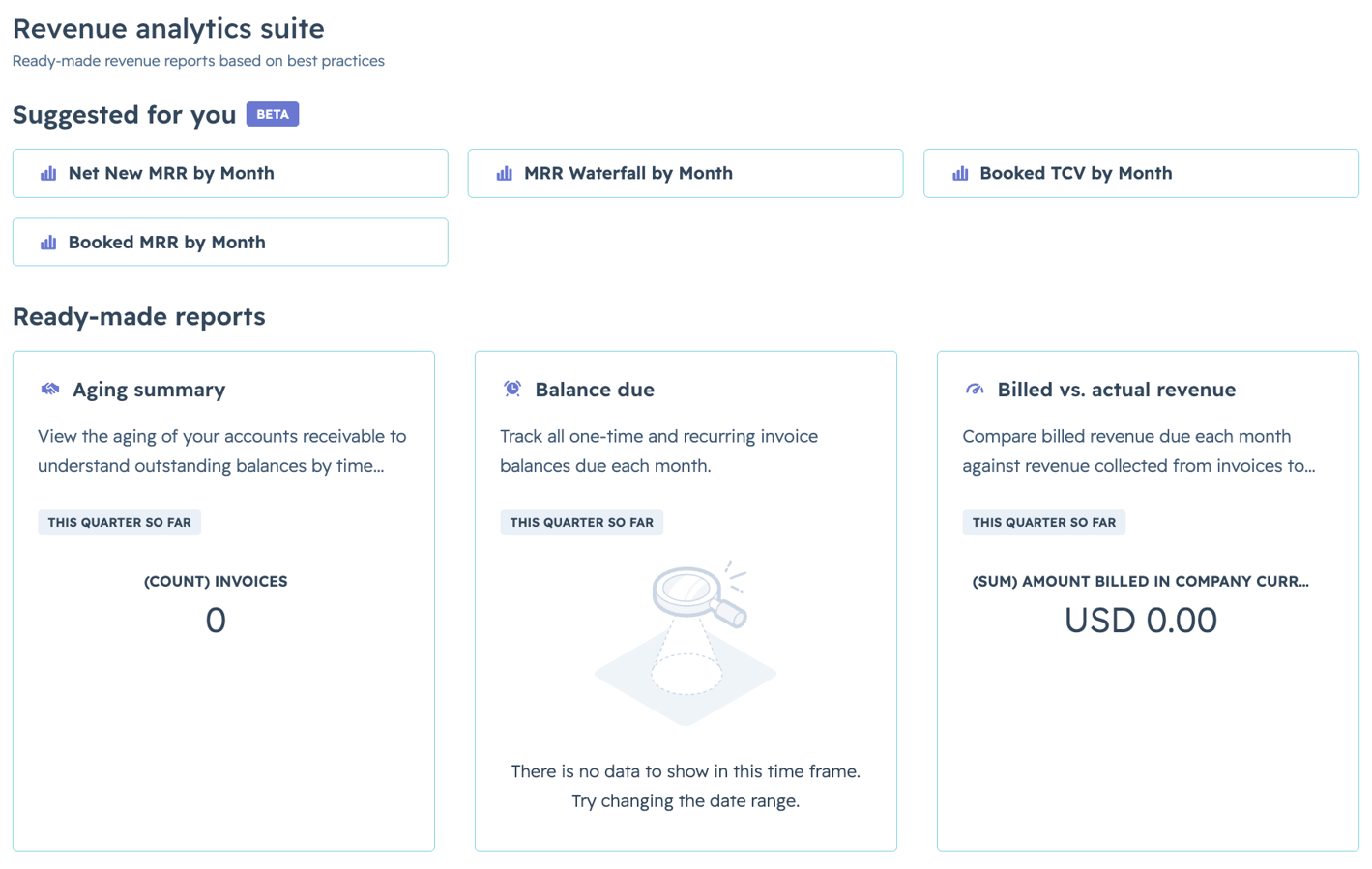
And of course probably the biggest challenge we used to face was being able to report on it all. Now that all the data is stored in HubSpot you can easily tap into this to build out custom reports or use any of the prebuilt ones from the revenue analytics suite!
Revenue Hub is one of the more complex hubs HubSpot offers, particularly once contracts, custom quoting logic and accounting integrations come into play. As an Elite HubSpot Solutions Partner, this is exactly the kind of advanced implementation work we help teams navigate, so Revenue Hub gets set up in a way that matches how your business actually sells.
Frequently Asked Questions